

By: T. Chapman
iOS 26.3 has made it easier for iPhone users to switch to an Android device.

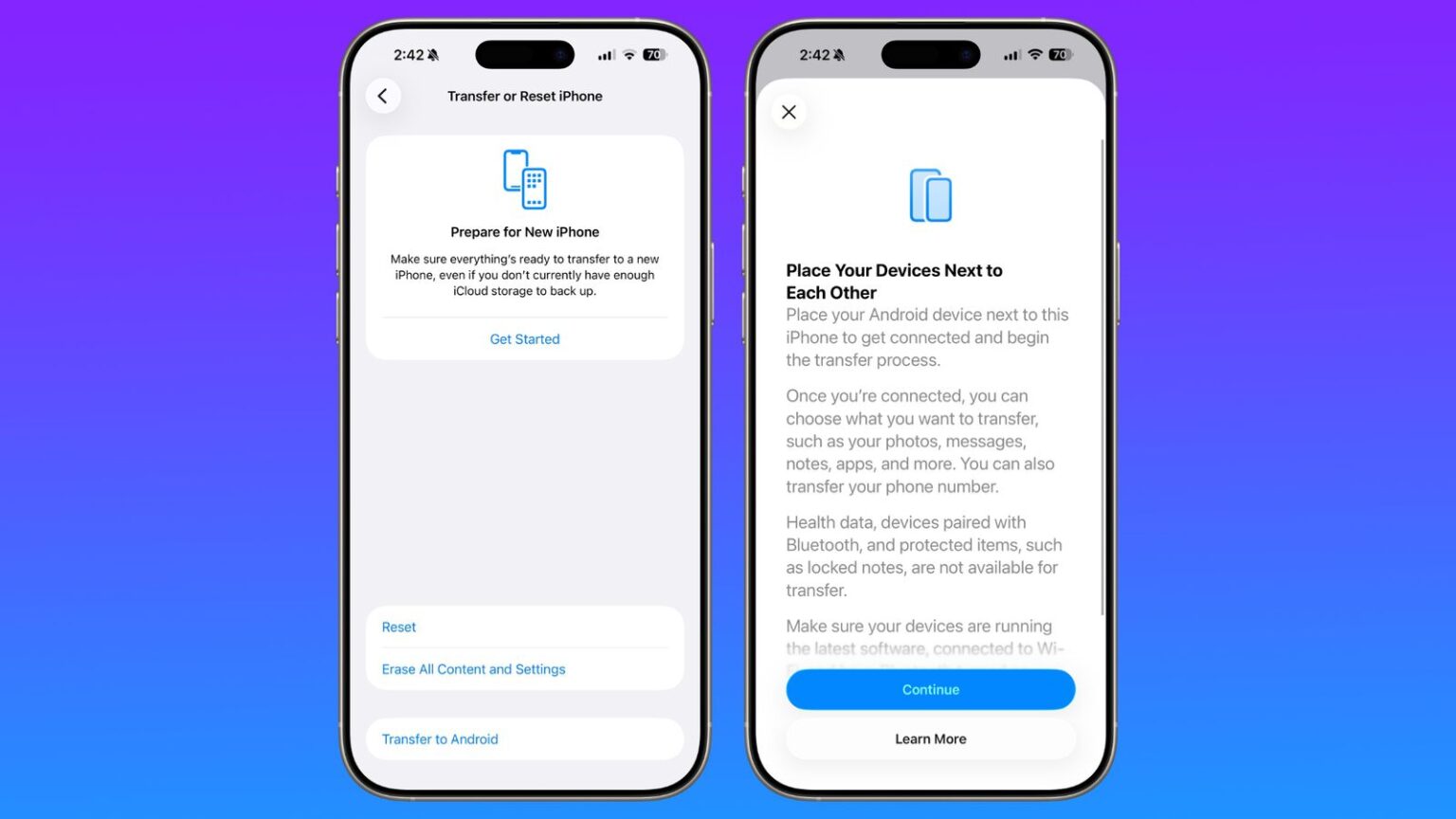
The introduction of a new tool allows you to place your iPhone next to an Android device to wirelessly transfer photos, messages, notes, apps and more. You can also transfer your phone number.

Data transfers occur with no need to download and use a separate app, making the process simpler.

However, health data, devices paired with Bluetooth, and protected items like locked notes are not transferred over to the new device.
How It Works
Transferring data from an iPhone to an Android device wirelessly requires both devices to have the latest software, and to be connected to Wi-Fi with Bluetooth enabled. There will be an option to display a QR code on the Android device that the iPhone can scan to initiate the process, or there is an option to use a session ID and pairing code instead.
Google has also introduced a similar feature for transferring data from an Android to an iPhone.
If you are using iOS 26.3 beta, the new featyre can be found in the Settings app, under General → Transfer or Reset iPhone → Transfer to Android. It is available worldwide.
Discover more from SKN PULSE
Subscribe to get the latest posts sent to your email.